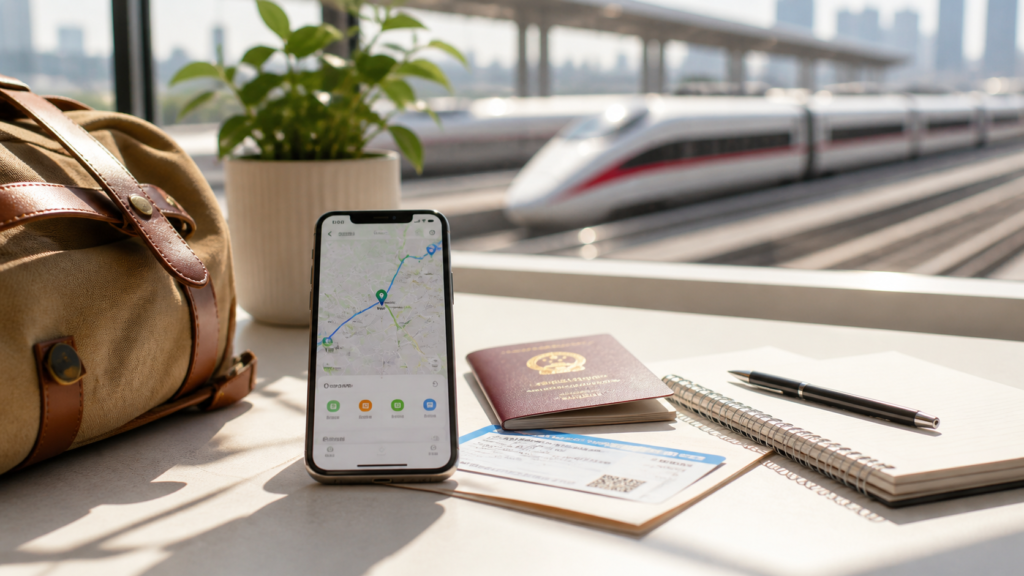
Quick answer: If you only download one Chinese app before your trip, make it Amap (高德地图, Gaode Maps). It’s the navigation app that locals use — it works without a VPN, has English support, handles walking, transit, and driving directions, and includes built-in ride-hailing. Google Maps is unreliable in China even with a VPN, but Amap just works.
Why Google Maps fails in China
Google Maps has a fundamental problem in China: its data is outdated and offset. Streets that were rebuilt five years ago don’t appear. Walking routes suggest paths that don’t exist. Public transit times are wrong. Even with a VPN, the underlying map data is simply not maintained for mainland China because Google has no presence there.
Amap, by contrast, is updated constantly by one of China’s largest tech companies (Alibaba Group). It has real-time traffic, accurate public transit, door-to-door walking routes, and restaurant listings with real photos and reviews. For navigating inside China, there is no competition — Amap is what you need.
Step 1: Download before you leave home
Amap is available on both the iOS App Store and Google Play. Download it before your flight. While the app can be downloaded inside China, the setup process is easier with stable home WiFi.
App name to search: “Amap” or “高德地图”. The developer is AutoNavi (a subsidiary of Alibaba Group). The icon is a blue map pin on a white background.
Step 2: Switch to English
After installing, you don’t need to create an account or log in. You can use Amap immediately in guest mode for directions and search. To switch the language:
- Open Amap and tap Me (我的) in the bottom-right corner.
- Tap the Settings gear icon (设置) in the top-right.
- Go to General (通用) → Language (语言).
- Select English from the list.
Reality check: Even with English enabled, some menus, street names, and pop-ups remain in Chinese. This is normal. The core functions — search, directions, nearby places — work in English. For everything else, keep a translation app (Google Translate camera mode) ready. Most travelers find the combination of Amap + translation camera is all they need.
Step 3: Learn the key functions
| What you want to do | How to do it in Amap |
|---|---|
| Find a specific place | Tap the search bar at the top. Type the name in English (works for major landmarks, hotels, airports) or paste Chinese characters copied from your hotel website. |
| Get walking directions | Search for your destination → tap Route (路线) → select the walking person icon. Amap shows turn-by-turn walking routes with estimated time. |
| Check public transit | From the Route screen, select the bus icon. Amap shows which bus or metro line to take, which stop to get off at, and walking connections — all with real-time arrival estimates. |
| Hail a ride | From the Route screen, select the taxi icon (打车). Amap aggregates multiple ride-hailing services and shows prices. Tap to book — payment happens through Alipay or WeChat Pay. |
| Find nearby restaurants, ATMs, toilets | On the main map, tap Nearby (附近) or use the search bar with terms like “restaurant,” “ATM,” or “toilet.” Results show ratings, photos, distance, and opening hours. |
| Download offline maps | Go to Me → Offline Maps (离线地图). Download your city before heading out. Works for walking navigation without mobile data — essential for areas with spotty reception. |
| Save a place for later | Tap a location on the map, then tap Save (收藏). Save your hotel, train station, and key attractions before leaving WiFi. Saved places appear as stars on your map. |
Step 4: Master Chinese search (the foreigner trick)
English search in Amap works for major landmarks: “Shanghai Pudong Airport,” “Forbidden City,” “the Bund.” But for smaller restaurants, specific addresses, or neighborhood shops, English often returns nothing. Here’s the trick experienced travelers use:
- Open Google Translate or DeepL on your phone.
- Type the place name in English (e.g., “Yuyuan Garden metro station”).
- Copy the Chinese translation (豫园地铁站).
- Paste it into the Amap search bar.
- The correct result appears instantly.
For addresses, ask your hotel to write the Chinese name and address on a card or in a WeChat message. Screenshot it. You can paste the Chinese text into Amap directly.
Built-in ride-hailing: how to book a taxi in Amap
Amap’s ride-hailing feature aggregates multiple Chinese taxi and ride services into one screen — you don’t need a separate taxi app. Here’s how it works:
- Search for your destination as described above.
- Tap Route (路线), then tap the taxi icon (打车).
- Amap shows estimated fares from multiple services. Prices are in RMB — a typical 15-minute city ride costs ¥15–35 ($2–5 USD).
- Tap a service to book. Your pickup location is set automatically from GPS.
- The driver accepts and you see their car’s license plate, estimated arrival time, and real-time location on the map.
- At your destination, payment processes automatically through Alipay or WeChat Pay — no cash needed.
Important: The ride-hailing interface and driver communications are in Chinese. If the driver calls (which sometimes happens to confirm pickup), they will speak Chinese. Have your hotel staff or a passerby help if needed. Showing the driver your phone screen with the destination usually resolves any confusion.
Amap vs Baidu Maps vs Google Maps
| Feature | Amap (Gaode) | Baidu Maps | Google Maps |
|---|---|---|---|
| English support | ✅ Yes (partial — core functions in English) | ❌ Almost none | ✅ Full English |
| Map accuracy in China | ✅ Excellent — updated daily | ✅ Excellent — updated daily | ❌ Often wrong, offset, outdated |
| VPN required? | ❌ No | ❌ No | ✅ Yes (and still inaccurate) |
| Walking directions | ✅ Door-to-door, pedestrian paths | ✅ Good | ❌ Often incorrect routes |
| Public transit | ✅ Real-time bus/metro, transfers | ✅ Good | ❌ Schedules wrong |
| In-app ride-hailing | ✅ Yes — aggregates multiple services | ✅ Yes (more local-oriented) | ❌ No |
| Offline maps | ✅ Download cities over WiFi | ✅ Download available | ✅ Download available |
| Best for foreign tourists | ✅✅ Yes — the clear winner | ❌ Too much Chinese required | ❌ Don’t rely on it in China |
What navigation apps cost: China vs US
This part surprises most visitors: the best navigation in China is free. Amap is completely free — no subscription, no ads that block the screen, no premium tier. Ride-hailing inside the app charges only the fare, with no additional booking fee.
| Cost item | China (Amap) | US comparison |
|---|---|---|
| Navigation app | $0 — free | Google Maps is free, but doesn’t work in China |
| 15-min taxi ride (city center) | ¥15–35 ($2–5 USD) | $15–25 (Uber/Lyft) |
| Airport to city center (40-min ride) | ¥80–150 ($11–21 USD) | $40–70 (Uber/Lyft) |
| Metro/bus single trip | ¥2–6 ($0.30–0.85 USD) | $2.50–3.00 (most US cities) |
Transport in China is remarkably cheap. A full day of getting around — metro, bus, a short taxi ride — rarely exceeds $10 USD per person in most cities. Compare that to a single Uber ride from a US airport to downtown, which alone can cost $40–70.
What goes wrong and how to fix it
| Problem | Why it happens | Fix |
|---|---|---|
| English search returns no results | The place name is not in Amap’s English database | Get the Chinese name (from hotel, Google Translate, or booking confirmation) and paste it into search. Chinese search always works. |
| GPS shows you in the wrong location | Phone GPS takes time to calibrate after landing; tall buildings can interfere | Go outside with a clear sky view. Wait 30–60 seconds. Turn GPS off and on. Still wrong? Restart the phone. |
| Bus/metro route seems confusing | Transit instructions may switch to Chinese for station names | Look at the line colors and station numbers (e.g., Line 2, 5 stops). The visual route line on the map is always clear even when text is Chinese. |
| Ride-hailing driver calls and speaks Chinese | Drivers call to confirm pickup location — this is standard in China | Stay calm. Have the destination written in Chinese on your phone. Show it to someone nearby who can help. Or text the driver via the app’s built-in chat (translate your message first). |
| Offline map won’t download | Not on WiFi; or city pack is too large | Download over hotel WiFi before day trips. Some cities have multiple packs (e.g., Shanghai Pudong vs Shanghai Puxi) — download both. |
| App suddenly shows Chinese menus | English setting reverted after an app update, or you’re in a Chinese-only submenu | Go to Me → Settings → General → Language and re-select English. For submenus that stay Chinese, use Google Translate camera. |
FAQ: Real questions from travelers using Amap
Do I need a Chinese phone number to use Amap?
No. You can use Amap in guest mode without any login. Just skip the account registration when the app opens. Directions, search, nearby places, and ride-hailing all work without an account. You only need a login if you want to sync favorites across devices or write restaurant reviews.
Can I use Amap without mobile data?
Partially. Download offline maps for your cities in advance (Me → Offline Maps). Offline maps handle walking and basic navigation. But live transit times, traffic updates, and ride-hailing require mobile data. For any China trip, a data connection (eSIM or local SIM) is strongly recommended.
Is Amap better than Baidu Maps?
For foreign tourists: yes. Both are equally accurate for China navigation, but Amap has English support while Baidu Maps is almost entirely Chinese. Baidu is used more by locals, but the language barrier makes it impractical for most travelers. Amap is the best map app that actually works for foreigners.
Does Amap work in Hong Kong, Macau, or Taiwan?
Amap’s coverage is focused on mainland China. It may show basic maps in Hong Kong and Macau but is not the best option there. For Hong Kong and Macau, Google Maps works normally. Taiwan uses its own mapping ecosystem.
Will Amap drain my battery?
Yes, like any GPS navigation app. Amap uses GPS, mobile data, and screen-on time continuously while navigating. Carry a power bank — this is essential for China travel regardless. A 10,000 mAh power bank ($15–25 on Amazon) will recharge your phone twice and solves this problem entirely.
Can I use Amap for long-distance driving?
Yes. Amap provides turn-by-turn driving directions with live traffic, speed camera alerts, and lane guidance. It covers highways across all of mainland China. If you’re renting a car (which requires a Chinese driver’s license), Amap is the best navigation option.
What’s the difference between Amap and Apple Maps in China?
Apple Maps uses Amap’s map data in China, so the base map is the same. However, Amap’s app has more features: built-in ride-hailing, restaurant reviews, offline maps, and more detailed public transit information. Apple Maps is simpler but less powerful. If you want one navigation app, choose Amap.
Your China phone setup: the complete toolkit
Amap solves navigation. But a working phone in China needs a few more pieces. Here’s the complete toolkit that experienced travelers set up before departure:
- Navigation: Amap (this guide) — download and switch to English before departure.
- Internet: China travel eSIM — install before flying so maps, translation, and ride-hailing work from the moment you land.
- Payments: Alipay and WeChat Pay — link your international card before departure. Without these, you can’t pay for ride-hailing or many restaurants.
- Translation: Google Translate (download offline Chinese pack) or DeepL — for reading Chinese menus, signs, and Amap’s occasional Chinese pop-ups.
- Trains: High-speed rail guide — if your route includes multiple cities.
- VPN (optional backup): VPN for China — install before your flight if you need guaranteed access to Google, WhatsApp, or work tools on WiFi.
Set these up before you leave home. China travel becomes dramatically easier when your phone is ready from the first hour — and Amap is the app you’ll open most often.