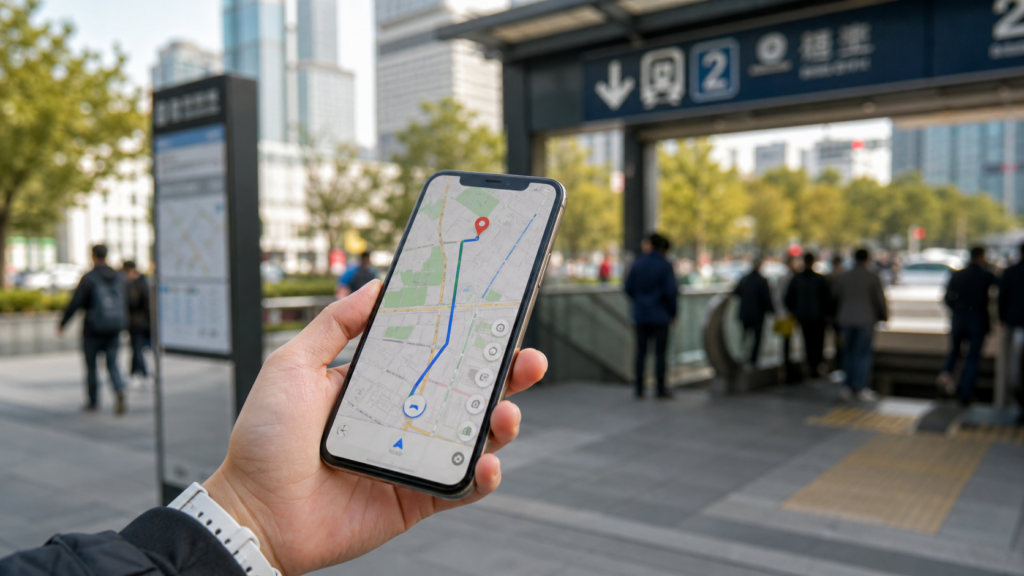
Quick answer: Use Amap/Gaode Maps as your main navigation app in mainland China, Apple Maps as the easiest English-friendly backup, and Google Maps only as a limited reference. Google Maps can be familiar, but it is often unreliable for local transit, business listings, walking routes, and real-time navigation in China. If you are visiting Beijing, Shanghai, Xi’an, Chengdu, Guangzhou, Shenzhen, Hangzhou, or smaller Chinese cities, prepare a local map app before you land.
Last reviewed: 2026-06. Map app features, English support, transit coverage, and access conditions can change. Test your navigation setup before your first travel day, and save hotel addresses in Chinese as a backup.
Why Google Maps is not enough in China
Many first-time visitors arrive in China expecting to use Google Maps the same way they do in Japan, Europe, Thailand, or the United States. That is a risky plan. Even when Google Maps opens through a travel eSIM or VPN, its mainland China data can be incomplete or less useful for daily movement.
The main problems are practical: local business names may be missing, transit directions may be weaker, some places are easier to find in Chinese than English, and real-time local route information is not as strong as Chinese map apps. This matters when you are standing outside a train station with luggage, trying to find the correct metro entrance, or showing a taxi driver where to go.
For a smoother arrival, set up a local navigation option before your flight. The full setup guide is here: How to Use Amap/Gaode Maps in China.
Gaode Map, Amap, and 高德地图: are they the same?
Yes. Amap is the English product name, Gaode Maps is the common English name, and 高德地图 is the Chinese name. Travelers may see all three names used online, in app stores, or in China travel discussions.
For practical travel planning, think of Amap/Gaode Maps as China’s most useful everyday navigation app for foreign visitors who can handle some Chinese interface friction. It is strong for walking, metro, bus, driving routes, traffic conditions, local places, and exact building locations.
Gaode Map vs Google Maps vs Apple Maps
| App | Best for | Main weakness |
|---|---|---|
| Amap / Gaode Maps | Most accurate local navigation, public transit, traffic, walking routes, Chinese addresses | Interface can be difficult if you do not read Chinese |
| Apple Maps | English-friendly navigation on iPhone, simple walking and driving routes, familiar interface | Less detailed than Amap for some local places and transit decisions |
| Google Maps | Looking up familiar saved places, rough orientation, checking international hotel names | Often unreliable for mainland China navigation and local transit |
When to use Amap/Gaode Maps
Use Amap/Gaode Maps when accuracy matters. This includes metro transfers, station exits, walking to a restaurant, finding the correct gate of a scenic area, checking traffic, or confirming whether your hotel is near the right subway line.
- Finding exact Chinese addresses
- Planning metro and bus routes
- Choosing the right train station or airport terminal route
- Walking from a metro exit to your hotel
- Checking whether a restaurant or attraction is actually nearby
- Showing a driver the destination in Chinese
- Checking real-time traffic before a taxi ride
Amap is especially useful in huge transport areas such as Beijing South Railway Station, Shanghai Hongqiao, Guangzhou South, Xi’an North, and Chengdu East. These places can have multiple floors, long walking distances, and several exits that look similar to a tired traveler.
When Apple Maps is easier
Apple Maps is often the easiest backup for iPhone users because the interface is familiar and English labels are more comfortable. It can be good enough for hotel-to-attraction walking routes, general orientation, and basic navigation in major cities.
The trade-off is detail. When Apple Maps and Amap disagree, check Amap before making a time-sensitive decision. This matters for metro exits, bus stops, small restaurants, scenic-area entrances, and places with similar English names.
When Google Maps can still help
Google Maps is not useless. It can still help you organize saved places before the trip, understand the rough layout of a city, or recognize international hotel and attraction names. It is also familiar, which can reduce stress when you are planning at home.
But once you are inside mainland China, do not make Google Maps your only navigation tool. Use it as a reference layer, then confirm important routes in Amap/Gaode Maps or Apple Maps.
The best map setup before your China trip
- Install Amap/Gaode Maps before departure.
- If you use iPhone, make sure Apple Maps is available and working.
- Save your hotel name, address, and phone number in both English and Chinese.
- Screenshot your hotel address, nearest metro station, and arrival instructions.
- Prepare a China travel eSIM so your map works after landing.
- Install a translation app with Chinese offline support.
- Save key places in a note app in Chinese characters, not only English.
This setup is boring in the best way: when you land, you already know which app to open, which address to show, and how to recover if one tool fails.
How to search places when you do not read Chinese
The easiest method is to copy Chinese place names from your hotel confirmation, attraction website, restaurant listing, or travel notes. Paste the Chinese name into Amap/Gaode Maps. Chinese names usually work better than English names because local map data is built around Chinese-language listings.
For hotels, save the full address before you fly. For attractions, save the Chinese name plus the city. For restaurants, save the Chinese name, branch name, mall name, or nearby landmark. If you only search an English nickname, you may get the wrong place or no result.
Airport and train station navigation
Airports and high-speed rail stations are where map mistakes hurt most. You may be tired, carrying luggage, and trying to make a connection. Use the most precise app available and confirm the Chinese name of your destination.
- For airport to hotel: save the hotel address in Chinese and use Amap or Apple Maps for route timing.
- For train stations: check the exact station name. Beijing Railway Station, Beijing South, Beijing West, and Beijing North are different places.
- For metro: pay attention to exit numbers. The wrong exit can add 10-20 minutes of walking.
- For taxis: show the Chinese address and phone number, not only the English hotel name.
For broader transport planning, see the China transportation guide and the arrival day survival guide.
Do you need internet for maps in China?
Yes, you should plan as if you need mobile data. Offline screenshots help, but live routes, transit updates, walking directions, ride-hailing, and place searches work much better with internet. A travel eSIM is the easiest solution for most short trips.
Airport Wi-Fi may not be enough, especially if it requires SMS verification or if you are moving quickly. Prepare your internet setup before departure. For a full app checklist, use the best apps for traveling in China guide.
Common mistakes travelers make
- Saving only English hotel names, then discovering the taxi driver needs Chinese.
- Assuming Google Maps will work exactly like it does at home.
- Not checking whether a city has multiple train stations with similar names.
- Using the wrong metro exit and turning a five-minute walk into a twenty-minute walk.
- Trying to install apps after landing, when internet access is already the problem.
- Depending on screenshots only, without a live-data backup.
FAQ
Is Gaode Map in English?
Amap/Gaode Maps may show some English labels, especially in major cities and for famous places, but travelers should expect Chinese interface elements. The app is still useful if you copy and paste Chinese addresses and use translation tools when needed.
Can foreigners use Amap/Gaode Maps without a Chinese phone number?
Many basic map functions can be used without relying on a Chinese phone number, but account features and some connected services may require verification. For travel navigation, the most important preparation is having mobile data and saved Chinese addresses.
Is Google Maps accurate in China?
It is not reliable enough to be your only map app. It can help with rough planning, but local navigation, transit, and business details are usually better handled by Amap/Gaode Maps or Apple Maps.
Is Apple Maps good in China?
Apple Maps can be a good English-friendly backup for iPhone users, especially in major cities. For precise local details, metro exits, and Chinese place names, Amap/Gaode Maps is still worth preparing.
Which map app should I use on arrival day?
Use Amap/Gaode Maps or Apple Maps for the route, and keep your hotel address in Chinese ready for taxi drivers or station staff. Do not rely on airport Wi-Fi or English hotel names only.
Bottom line
For mainland China, Amap/Gaode Maps should be your main navigation app, Apple Maps should be your easy backup, and Google Maps should be treated as a familiar but limited reference. Prepare the apps, Chinese addresses, and mobile data before your flight. That one hour of setup can save a lot of confusion on your first day in China.
When to use each map app
If your search is Gaode Map vs Google Maps in China, the simple answer is: use Gaode or Amap for local navigation, metro exits, bus routes, and nearby shops; use Google Maps mainly for broad orientation before the trip. Apple Maps can help in some Chinese cities, but it is still worth having Amap ready.
Useful related guides
Continue with the guide that matches the next decision in your trip: